




Create Your First Website in Pakistan 2026 – Hostinger for Beginners
How to Create a Website for Beginners in Pakistan 2026 Super Easy Step-by-Step Guide
Hey there, friends in Pakistan!
Want to know how to create a website for beginners without any coding? This complete beginner website guide makes it super simple in 2026. Whether you live in Rawalpindi, Lahore, Karachi, or anywhere in Punjab, you can build your own professional website in just a few hours.
You can create a site for your school project, cricket blog, cooking recipes, photo gallery, or small online shop selling clothes, jewelry, or snacks. The best part? It costs very little — many options start under Rs. 800 per month and work perfectly with EasyPaisa, JazzCash, and local bank cards. No need to hire expensive developers. Follow this step-by-step guide and you’ll have a live, mobile-friendly website that looks great and helps you reach more customers. Thousands of Pakistani students, freelancers, and small business owners have already done it successfully. Ready? Let’s go! 🚀
Why You Need a Website in Pakistan Right Now
A website is your own 24/7 shop or personal space on the internet. Here’s why it matters:
- Reach more customers — People across Pakistan (and the world) can find you easily.
- Build trust — A professional site looks more reliable than just a Facebook page.
- Save money — No need for expensive ads; your site works for you 24 hours a day.
- Grow your business or hobby — Sell products, share stories, or show your work.
- Work with local payments — EasyPaisa, JazzCash, and bank cards are fully supported.
With faster 4G/5G and more smartphones in Pakistan, having a website is now easier and more useful than ever. Start your digital growth journey today at calckits.online — your free Digital Growth Hub packed with step-by-step paths and tools to Learn, Build, and Earn online.
Step 1: Decide What Your Website Is For
Start by asking yourself these simple questions:
- What is the main goal of my website?
- Who will visit — friends, family, or customers in Pakistan?
- What do I want visitors to do (read, buy, contact me)?
Popular website ideas for Pakistanis:
- Cricket or sports blog
- Small online shop for clothes/jewelry/snacks
- Student portfolio or school project site
- Cooking recipes or handmade crafts page
- Freelancer service page (tutoring, graphic design, etc.)
Draw a quick map on paper with boxes for each page. Planning first stops you from feeling lost.
Step 2: Pick an Easy Tool to Build It
No coding needed! These drag-and-drop tools work like playing with blocks.
| Tool | Best For | Starts At (about) | Why Pakistanis Love It |
|---|---|---|---|
| Hostinger | Cheap, fast & AI-powered | Rs. 399–999/month | AI builds site in minutes, EasyPaisa/JazzCash, fast local servers |
| Wix | Creative freedom | Rs. 4,500+/month | Drag-and-drop + AI writer |
| Squarespace | Beautiful professional look | Rs. 4,500+/month | Ready-made stylish templates |
Hostinger is the #1 choice for beginners in Pakistan.
Step 3: Get Your Website Address and Hosting
You need two things:
- A domain name (your website address, e.g., yourname.com or yourname.com.pk)
- Hosting (where your site lives)
Quick domain tips:
- Choose short and easy-to-spell names
- .pk domains cost only Rs. 1,800 per year through PKNIC
- Most builders include hosting automatically
You can pay easily with EasyPaisa, JazzCash, or card.
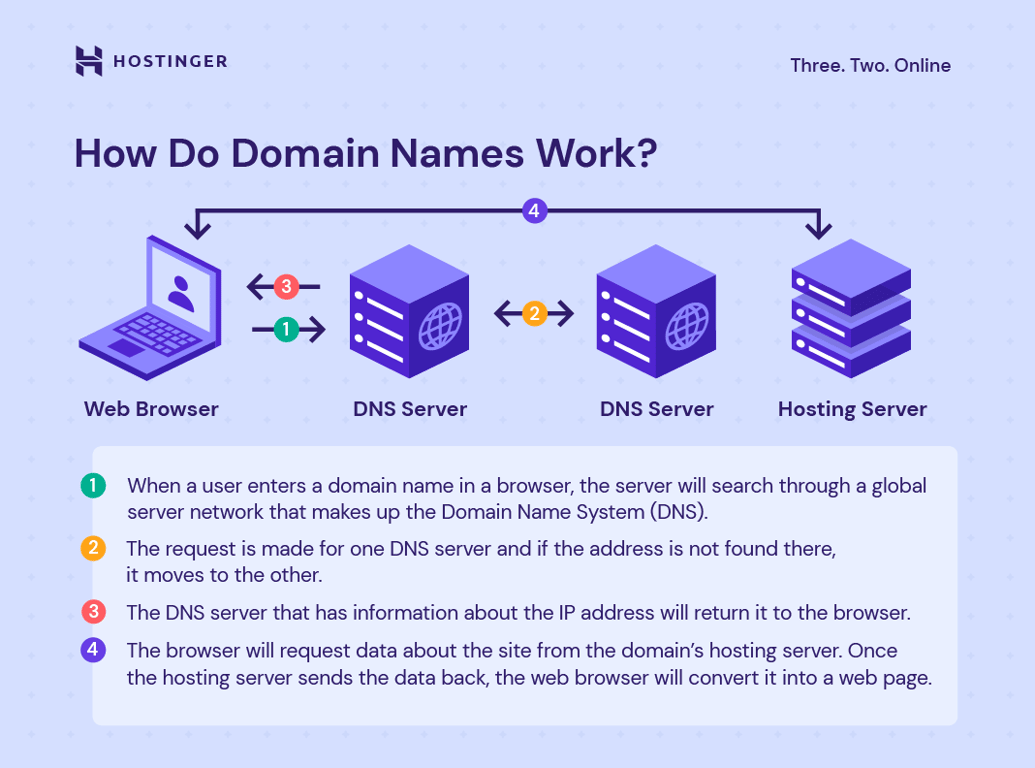
Here’s how domain names and hosting work together:
Step 4: Make It Look Nice
Choose a ready-made template inside your builder. Then:
- Change colors to match your style (or Pakistan’s flag)
- Add your logo and personal photos
- Keep the design clean and simple
All top tools automatically make your site mobile-friendly — very important because most visitors in Pakistan use phones.
Step 5: Add Your Pages and Words
Create these 4 must-have pages. Here’s exactly what to include:
| Page | What to Put on It | Example Text |
|---|---|---|
| Home | Welcome message + clear buttons | “Welcome to my cricket blog – latest matches from Pakistan!” |
| About | Your short story | “Hi, I’m Ahmed from Lahore. I make handmade jewelry…” |
| Shop/Services | Products or services with photos and prices | “Fresh clothes from Lahore – order today!” |
| Contact | Simple form + WhatsApp number | “Message me on WhatsApp or fill the form” |
Write in easy, friendly language. Use free photos from Unsplash or Pexels. Add buttons like “Order Now” or “Contact Me”.
Step 6: Make It Fast and Easy to Find on Google
Fast websites rank higher on Google. The builders handle speed and security automatically. Extra easy tips:
- Use clear page titles (e.g., “Cricket Blog Pakistan 2026”)
- Add short descriptions under every image
- Turn on free SSL security (https://)
These steps help your site appear when people search “buy clothes online Lahore” or “cricket tips Pakistan”.
Step 7: Test It and Publish Your Site
Before going live, follow this quick checklist:
- Test on phone, tablet, and computer
- Click every link and button
- Ask a friend to try it
- Fix anything that doesn’t work
When ready, click “Publish”. Your site is now live!
After publishing, go to Google Search Console (free), add your site, and submit the sitemap. This helps Google show your website to more people across Pakistan.

Step 8: Keep It Fresh and Growing
Websites need a little care. Follow this simple weekly checklist:
| Task | How Often | Why It Matters |
|---|---|---|
| Add new photos/stories | Once a week | Keeps visitors coming back |
| Check for broken links | Once a week | Makes site look professional |
| Review visitor numbers | Once a week | See what people like |
| Update prices/products | As needed | Helps you sell more |
Most tools automatically back up everything. Want more free tools and step-by-step paths to turn your new website into real income? Head over to calckits.online — your Digital Growth Hub for Learn.Build.Earn.
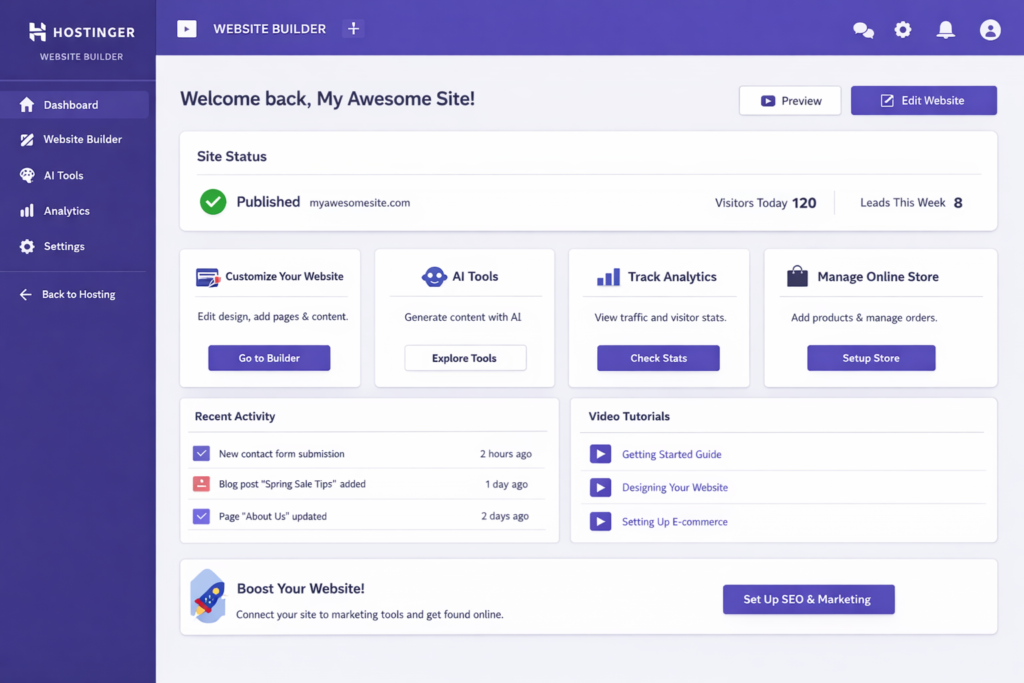
Example Site Walkthrough (Hostinger in Action)
Let’s see exactly how easy it is with Hostinger.
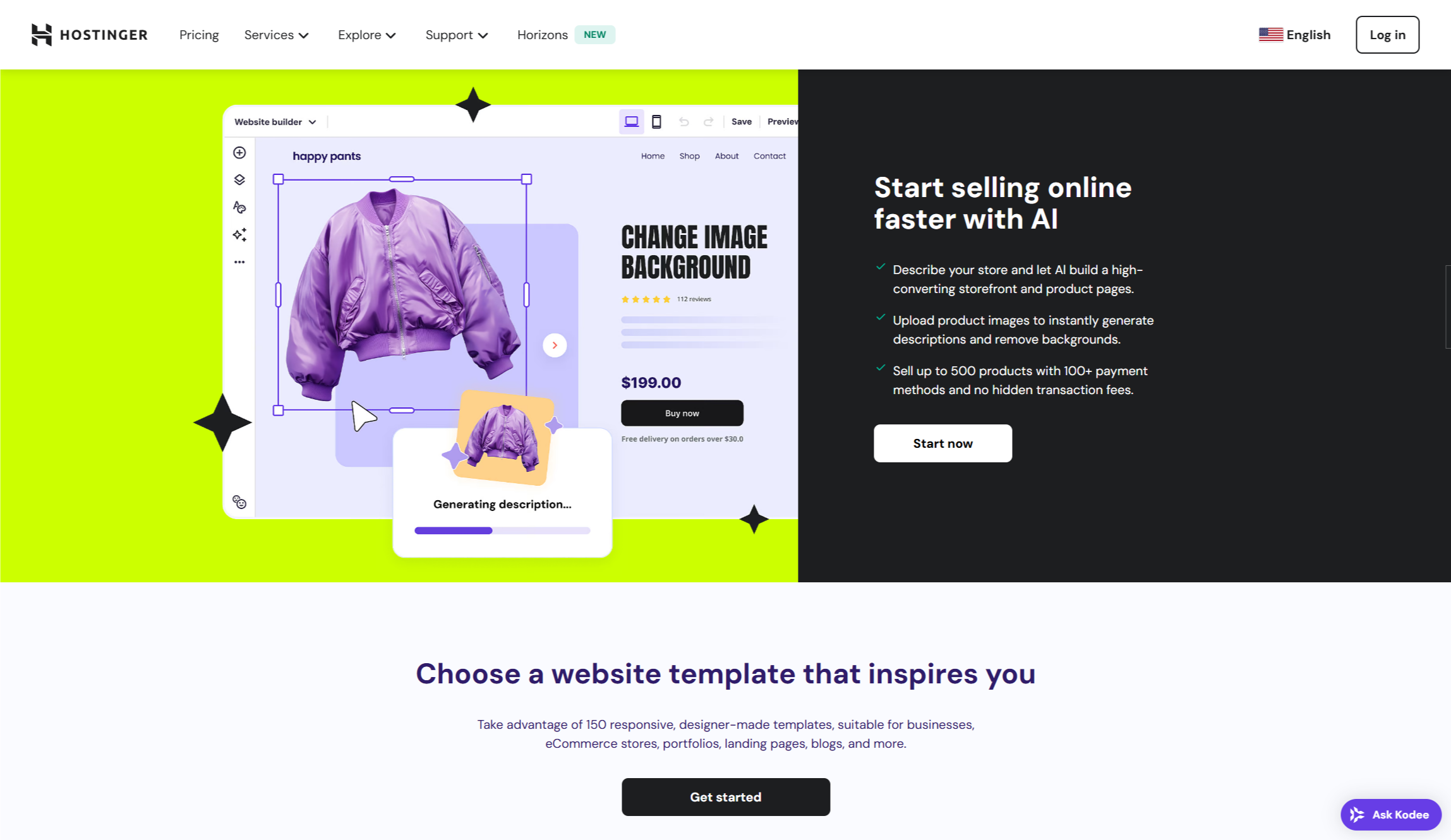
- Log in and click “AI Website Builder” — tell it “small clothing shop in Lahore selling handmade dresses”.
- AI creates the full site in under 60 seconds.
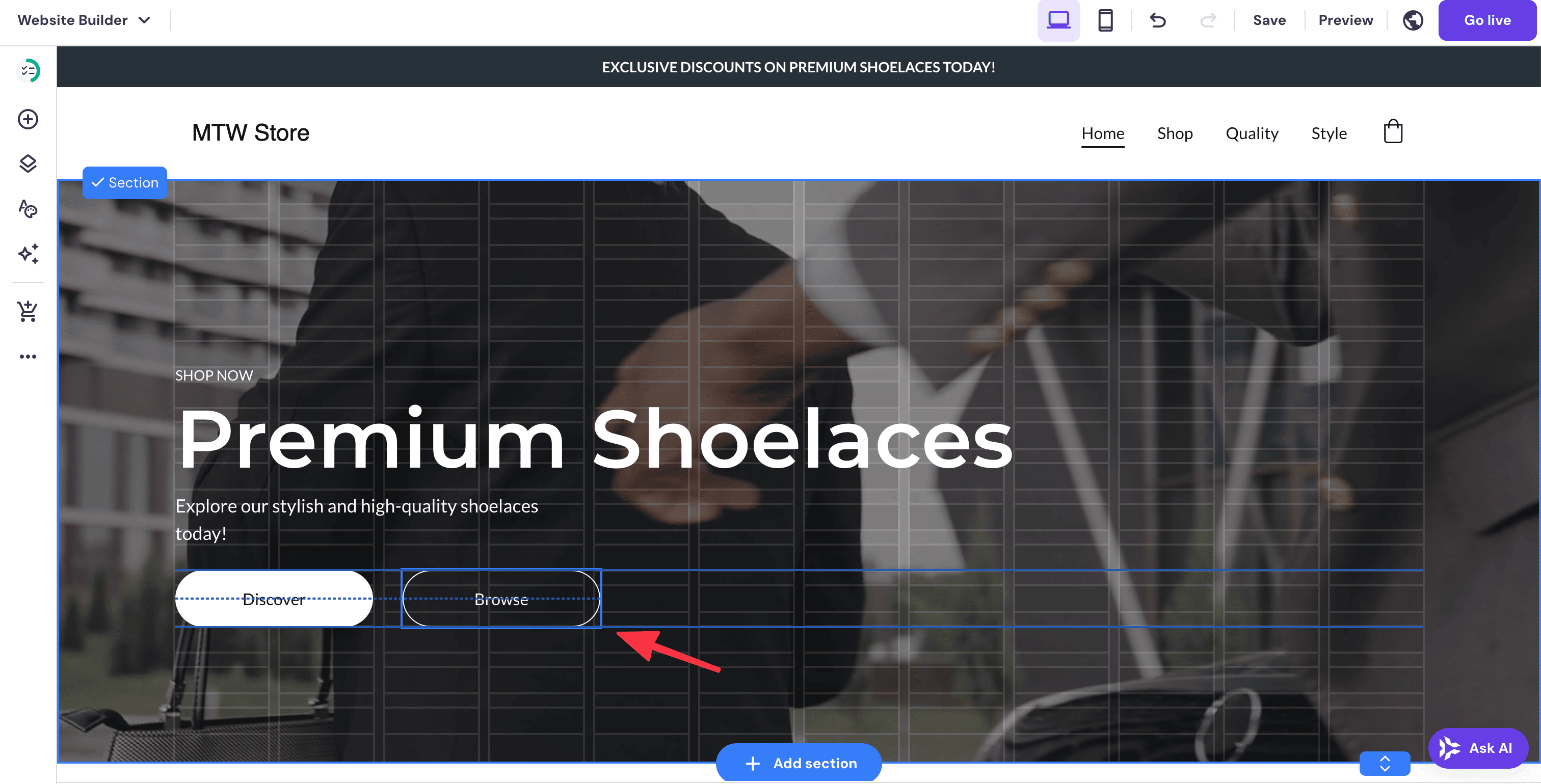
- Drag and drop elements anywhere you want (text, images, buttons).

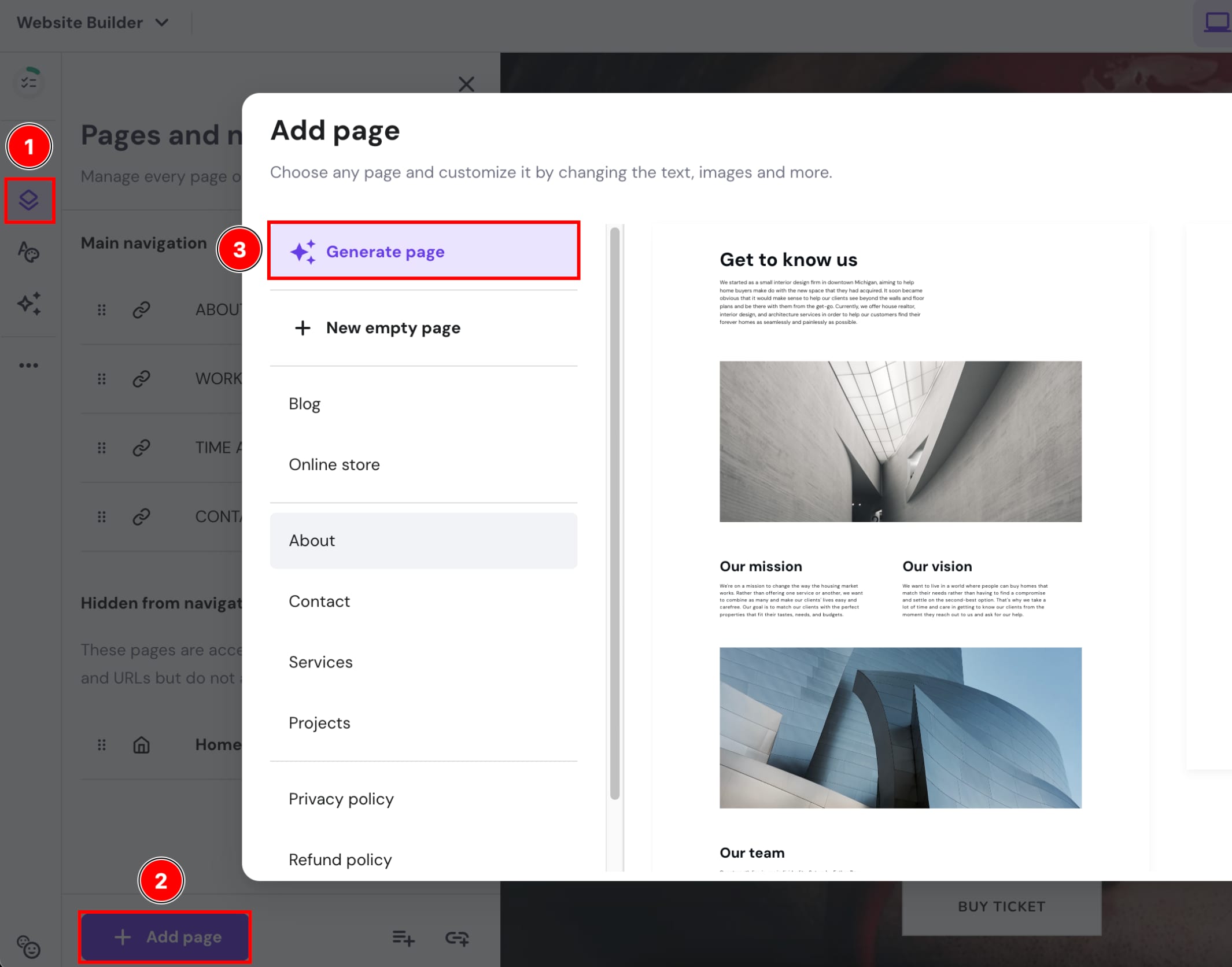
- Add new pages or use the “Generate page” button for About, Shop, or Contact.
- Preview on mobile and publish — done!
This real walkthrough shows you don’t need to be a tech expert. Just click and build.
Common Mistakes Beginners Make in Pakistan
- Choosing a long or difficult domain name
- Using too many bright colors that confuse visitors
- Forgetting to test on mobile phones
- Not adding clear contact buttons or WhatsApp number
- Uploading huge photos that make the site slow
Avoid these mistakes and your website will look professional from day one!
Quick Questions (FAQ)
- How much does it cost to create a website in Pakistan?
- Between Rs. 399 and Rs. 5,000 per month. Hostinger is the cheapest popular option. You can even start free and upgrade later.
- Do I need coding skills?
- No! Drag-and-drop tools let you build everything with your mouse.
- How long does it take to make a website?
- Most beginners finish a simple site in a few hours or one weekend.
- Which tool is best for beginners in Pakistan?
- Hostinger — it’s cheap, fast, and made for local payments.
- Can I make money from my website?
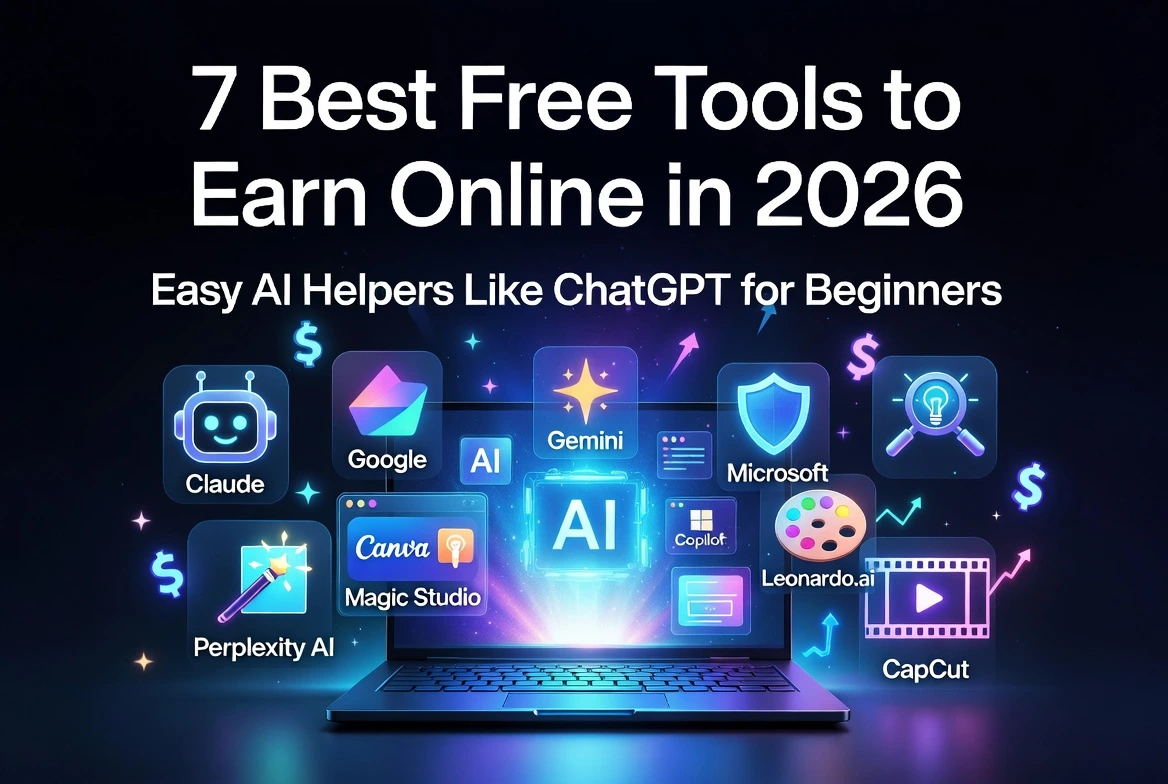
- Yes! Sell products, add Google AdSense later, or grow your business online. Discover 7 Best Free Tools to Earn Online in 2026 on calckits.online/blogs
- Is it safe for students and small shops?
- 100% safe. The tools have strong security and you stay in full control.
You did it!
See? How to create a website for beginners is much easier than you thought. Follow these steps, stay patient, and don’t worry about perfection. Your first website is meant to be simple and yours.
Thousands of people in Pakistan are already earning and sharing through their own sites. Open Hostinger right now and start building — then visit calckits.online for more free tools, mindset tips, and step-by-step earning paths to take your new website to the next level.
You’ve got this! Come back to this beginner website guide anytime. Share your new website link in the comments — we would love to see it and cheer you on!
Last updated: May 2026

