







Best free tools to earn online
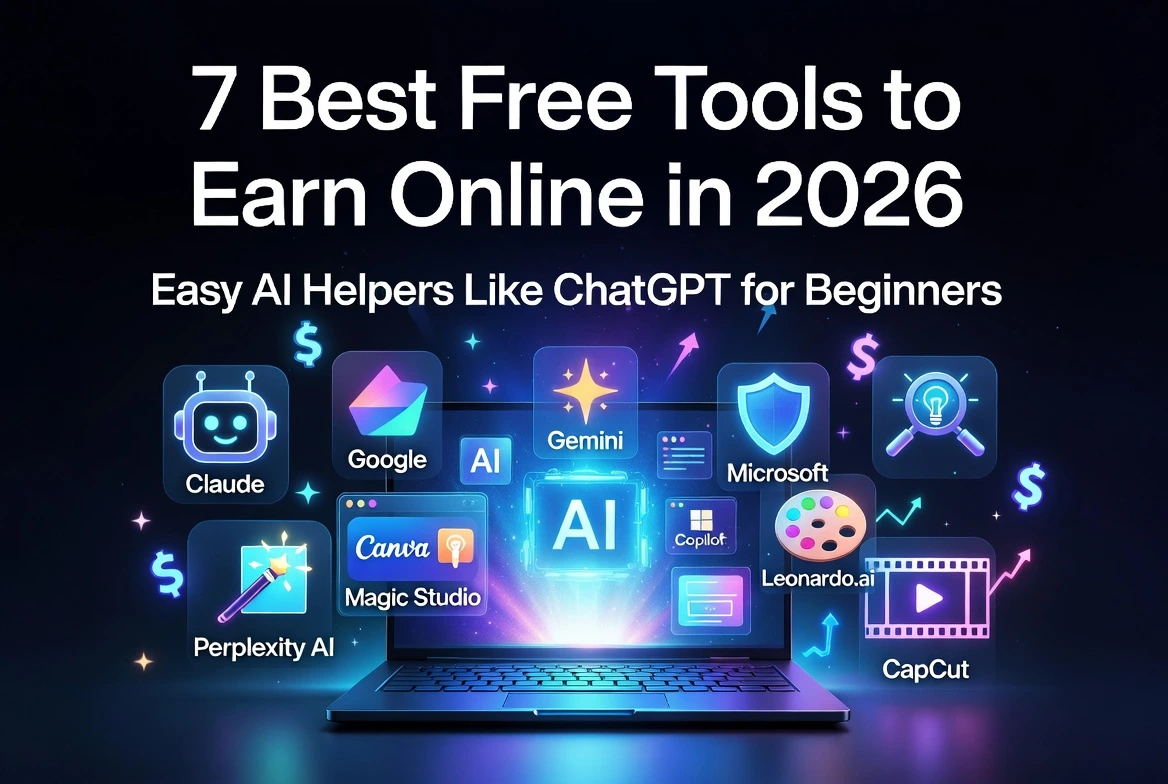
7 Best Free Tools to Earn Online in 2026: Easy AI Helpers Like ChatGPT for Beginners
Important Note: This article is just for learning and fun information. It is not money advice or a promise of success. Results depend on your own hard work. There is no guarantee of income. Always check the latest rules on each tool’s own website.
Hey there! Want to know the best free tools to earn online in 2026? These free AI tools are like smart computer helpers that work a lot like ChatGPT. Lots of people use them as alternatives to ChatGPT to create writing, pictures, videos, and more in just minutes.
You can try them for AI tools for freelancing (small jobs on the internet) or other online earning tools. I wrote this guide in a super simple way so even a 7th grader can understand everything. All the tools have free versions you can start using today — no credit card needed. For more step-by-step guides and growth paths, check out the Digital Growth Hub at calckits.online.
Why These Free AI Tools Can Help You in 2026
Big companies like Anthropic, Google, and Microsoft have made these free AI tools available to everyone. They save you time, help beginners make things that look really professional, and give you a chance to practice real skills on places like Upwork, Fiverr, Etsy, YouTube, or TikTok.
Just remember, the AI is only a helper. You still have to check the work, add your own ideas, fix any mistakes, and practice a lot. The good news? Tons of beginners start with zero experience and slowly build real skills!
1. Claude by Anthropic – Best Free Writing Helper Like ChatGPT
Claude comes from a company called Anthropic. You can use it for free at claude.ai. It’s one of the best alternatives to ChatGPT because it writes in such a clear and friendly way. The free version lets you send about 30 to 100 messages every few hours.
How lots of people use it to try earning online:
- Write blog posts or emails and sell them as freelance jobs on Fiverr or Upwork.
- Create simple eBooks or idea lists and sell them on Etsy.
- Make outlines for videos or social media posts.
Many beginners love starting with Claude because the writing already feels natural and easy to fix. You can find more writing tips on calckits.online.
2. Google Gemini – Best All-in-One Free AI Tool
Google Gemini is free at gemini.google.com. It connects nicely with Google apps like Docs and YouTube. It helps with research, writing, and even simple pictures.
How lots of people use it to try earning online:
- Research fun topics and write short reviews or blog posts.
- Make quick thumbnails or social media graphics for small gigs.
- Help with reports that clients need.
It really feels like a smart search friend that also creates things! You’ll find more research tricks on the Digital Growth Hub.
3. Microsoft Copilot – Best Free Tool for Everyday Tasks
Microsoft Copilot is free at copilot.microsoft.com. It’s great at thinking and writing, and you can use it right in your web browser.
How lots of people use it to try earning online:
- Create reports, proposals, or simple lists for clients.
- Fix emails or LinkedIn posts that people actually pay for.
- Turn long content into short, easy-to-read summaries.
If you already use Microsoft programs, this one feels super familiar. Check out productivity guides at calckits.online.
4. Perplexity AI – Best Free Research Helper
Perplexity AI is free and always gives answers with real sources. It looks up fresh information right away.
How lots of people use it to try earning online:
- Gather facts for articles that can rank on Google.
- Make well-researched reports for clients.
- Plan business ideas with real facts.
It’s perfect when you want your work to sound smart and true! Get more research help on calckits.online.
5. Canva Magic Studio – Best Easy Free Tool to Make Pictures and Designs
Canva’s Magic Studio uses AI to help you create pretty pictures, logos, or posters. The free plan gives you enough tries each month.
How lots of people use it to try earning online:
- Design YouTube thumbnails, social posts, or Pinterest pins.
- Create and sell ready-made templates or planners on Etsy.
- Offer simple logo or poster designs as gigs.
It’s so simple — just type what you want and it helps draw it! Discover more design ideas at calckits.online.
6. Leonardo.ai – Best Free Tool to Create Cool Images
Leonardo.ai gives you 150 fast tokens every day to make pictures. You can create art, book covers, or fun images.
How lots of people use it to try earning online:
- Make custom pictures for book covers or wall art to sell on Etsy.
- Design product mockups or social content for clients.
- Build a portfolio to show on freelance sites.
Always check the rules before using the pictures. See more image tips on calckits.online.
7. CapCut – Best Completely Free Video Maker with AI Help
CapCut is a free app for your phone or computer. It adds words on screen, voices, and cool effects automatically.
How lots of people use it to try earning online:
- Edit short TikTok or YouTube videos and grow a channel.
- Make quick promotional videos for shops or friends.
- Offer simple video editing as a freelance service.
No watermarks on free exports — that makes it awesome for beginners! Find video growth guides at calckits.online.
Free Tier Quick Facts Table
| Tool | Free Daily/Monthly Limit | Best Free Feature |
|---|---|---|
| Claude | 30–100 messages every few hours | Natural writing & file uploads |
| Google Gemini | Generous daily prompts | Works with Google apps & pictures |
| Microsoft Copilot | Unlimited basic use | Fast thinking and reports |
| Perplexity AI | Unlimited basic searches | Real sources and fresh facts |
| Canva Magic Studio | Limited monthly AI generations | Easy pictures, logos, and posters |
| Leonardo.ai | 150 fast tokens every day | Cool image creation |
| CapCut | Unlimited with no watermarks | Full video editing with AI effects |
Quick Tool Comparison Table
| Tool | Best For | Easy Way Beginners Earn Money |
|---|---|---|
| Claude | Writing | Freelance writing gigs on Fiverr |
| Google Gemini | Research + Pictures | Blog posts and quick graphics |
| Microsoft Copilot | Reports & Emails | Client reports and summaries |
| Perplexity AI | Research | Fact-filled articles |
| Canva Magic Studio | Designs | Sell templates on Etsy |
| Leonardo.ai | Cool Images | Digital art and printables |
| CapCut | Videos | Short videos on YouTube or TikTok |
Simple Step-by-Step Plan to Start Earning
Lots of people mix two or three tools together. For example, they use Claude to write, Canva to design, and CapCut to make a video.
Here’s an easy plan you can follow:
- Step 1: Pick one tool and play with it for a weekend.
- Step 2: Make some practice samples.
- Step 3: Learn how to ask the AI good questions (it’s called “prompting”).
- Step 4: Always fix the AI’s work so it sounds like YOU.
- Step 5: Put your best samples on Fiverr, Upwork, or Etsy and start with small gigs.
Bonus Tips for Beginners
- Start with just one tool so you don’t feel overwhelmed.
- Practice prompting with clear questions.
- Always add your own ideas.
- Be patient — many people make their first $50–$200 after a few weeks of trying.
- Check each tool’s rules before selling anything.
- For more helpful paths, head over to the Digital Growth Hub at calckits.online.
Frequently Asked Questions
What are the best free tools to earn online in 2026?
Claude, Google Gemini, Canva Magic Studio, Leonardo.ai, and CapCut are some of the most popular and easy ones.
Are these free AI tools good alternatives to ChatGPT?
Yes! Each one is extra good at different things — like writing, pictures, or research.
Can beginners or kids use these AI tools for freelancing?
Totally! Start slow, practice a lot, and ask for help if you get stuck.
Do I need to tell people I used AI?
Check the rules. The main thing is that the final work is good and honest.
Wrapping It Up
The best free tools to earn online in 2026 — like these free AI tools and alternatives to ChatGPT — make AI tools for freelancing and online earning tools way easier for beginners.
Pick one or two tools that look fun to you. Play with them, learn a little every day, and add your own special touch. The real magic comes from your hard work and creativity — the AI is just there to help.
For more free tools and guides, visit the full Digital Growth Hub at calckits.online anytime!
Which tool are you going to try first? Tell me in the comments below — I’d love to hear your ideas!

